
Getting started
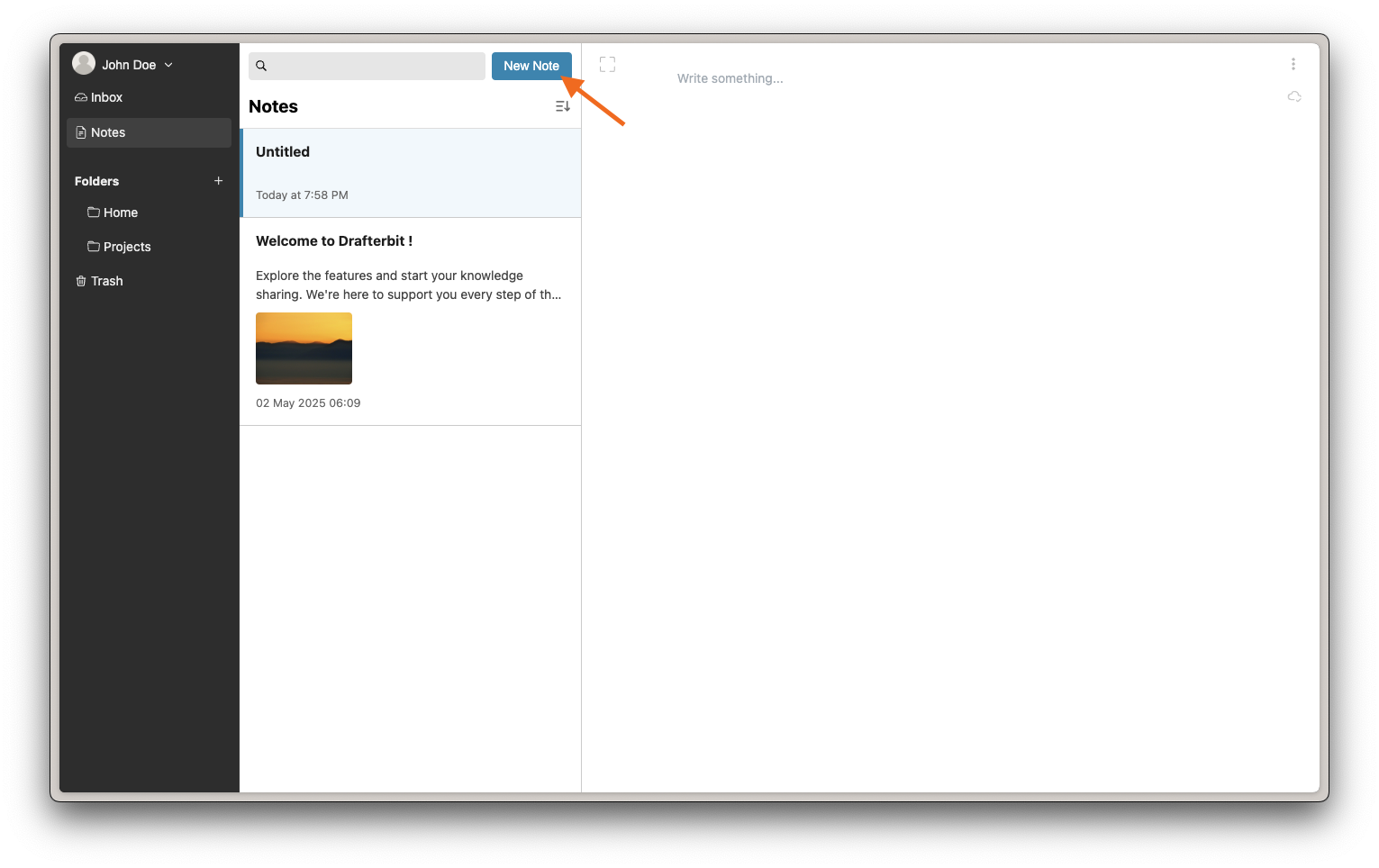
Create a note
INFO
Account is required to create a note, so you must sign up and sign in to the application prior to create a note.
-
Just click "New Note" Button, next to search input bar.
-
Start writing. See the "Note Editing" section in this doc to get detailed guide.
Organize notes into folders
Create a folder
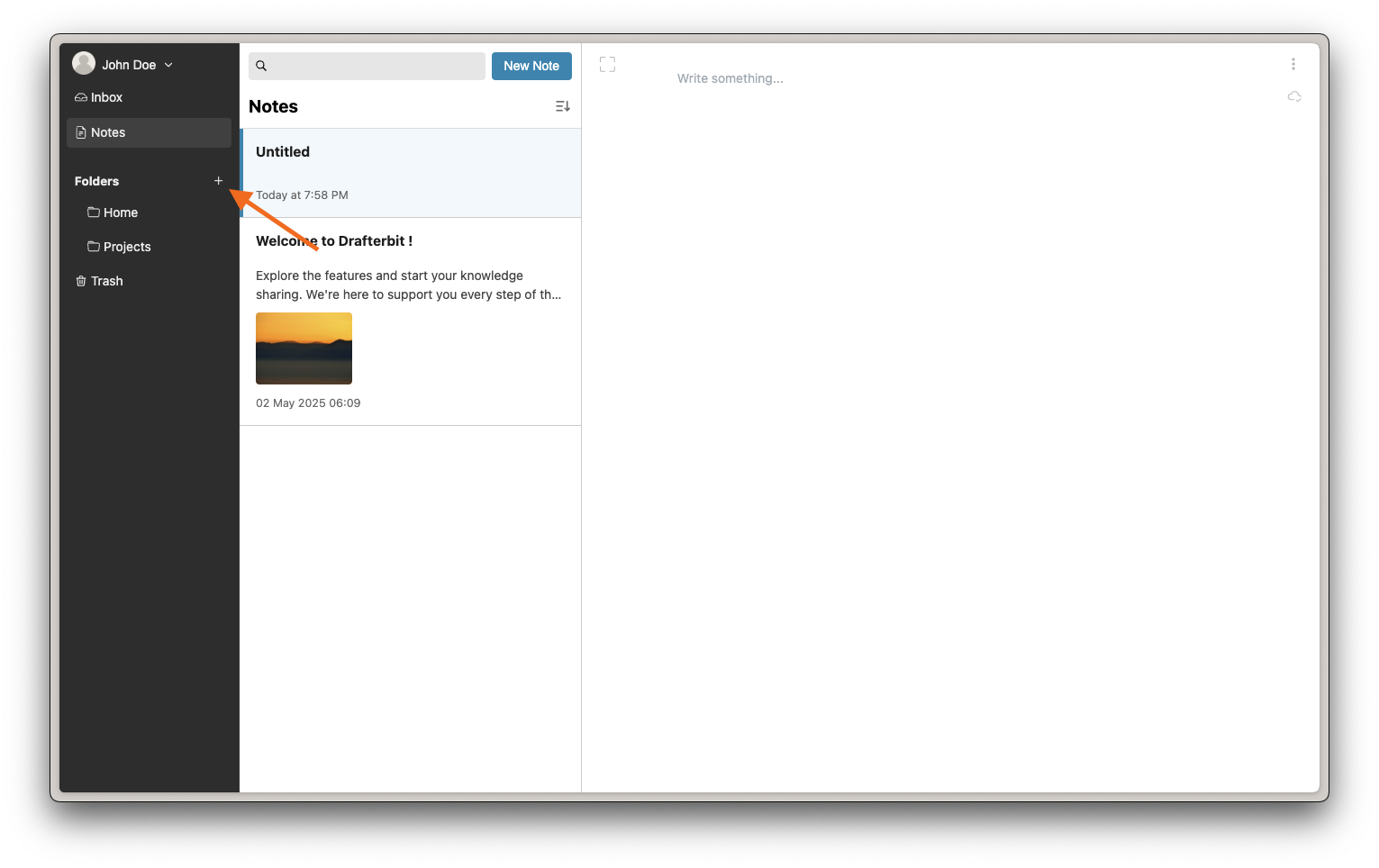
- To create a folder, click plus (+) sign at the sidebar next to "Folders" menu.
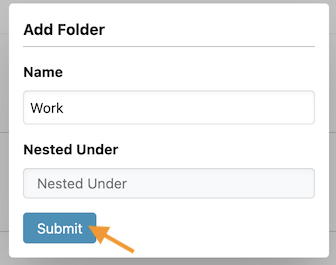
- Fill the folder name and the "Parent" folder.
- Then click submit. Folder created will appear at the sidebar.
Move note to folder
- Note can be dragged-and-drops to folder.
Search for notes
- Type a keyword into the search box and press Enter.
- A list of matching notes will appear.
Contents